Delegate a stream,
not your password.
A paralegal, EA, or bookkeeper signs in as themselves. You pick read-only or write for each helper, and which of your mailboxes they can use. Recipients still see your address.
The Password Sharing Problem
Your assistant needs to check your work email. Your partner wants to keep an eye on the family account. Your team lead needs visibility into the support inbox. The old way? Share your password, set up auto-forwarding, or sit together at the screen.
Helpers without sharing passwords
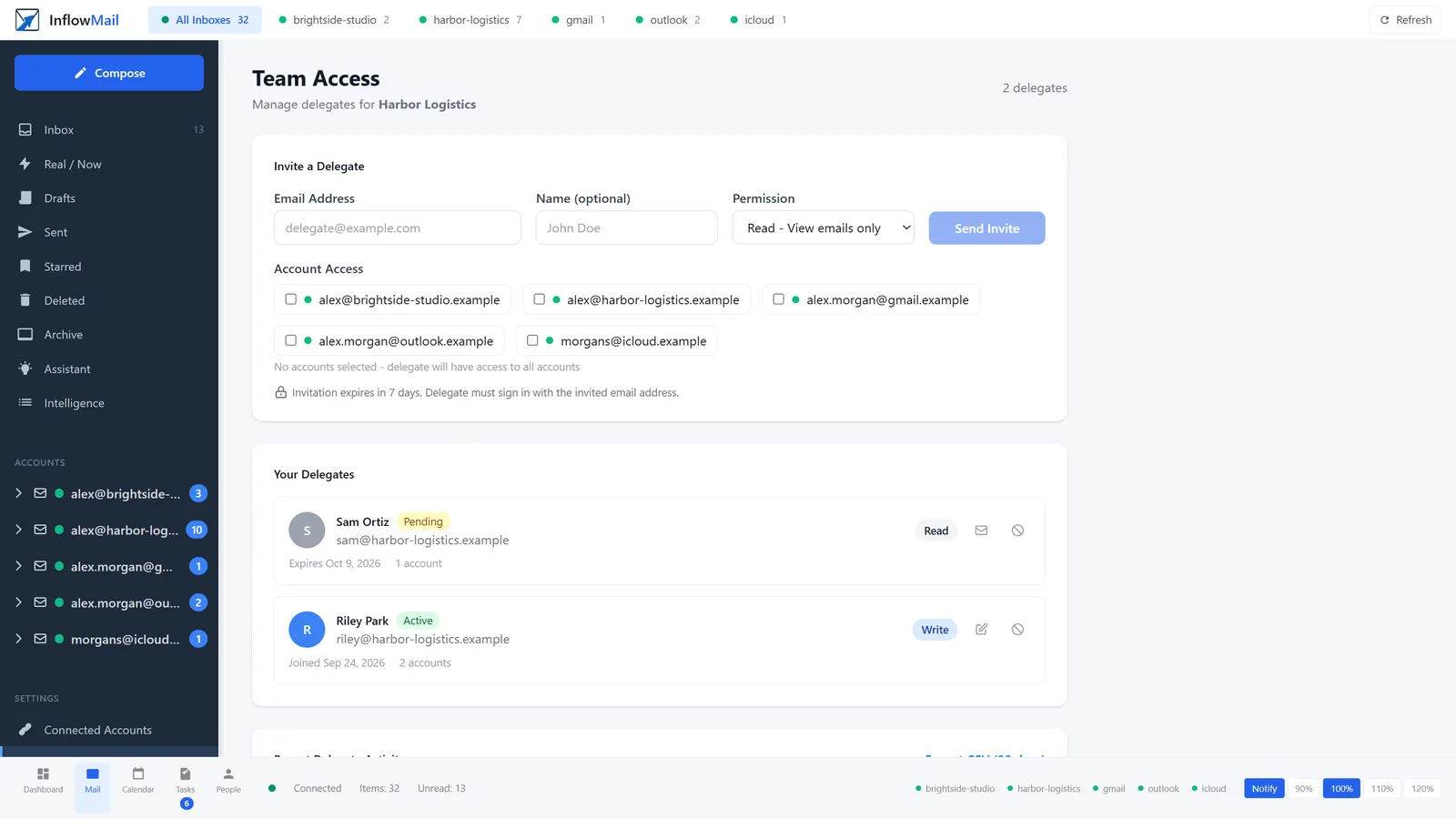
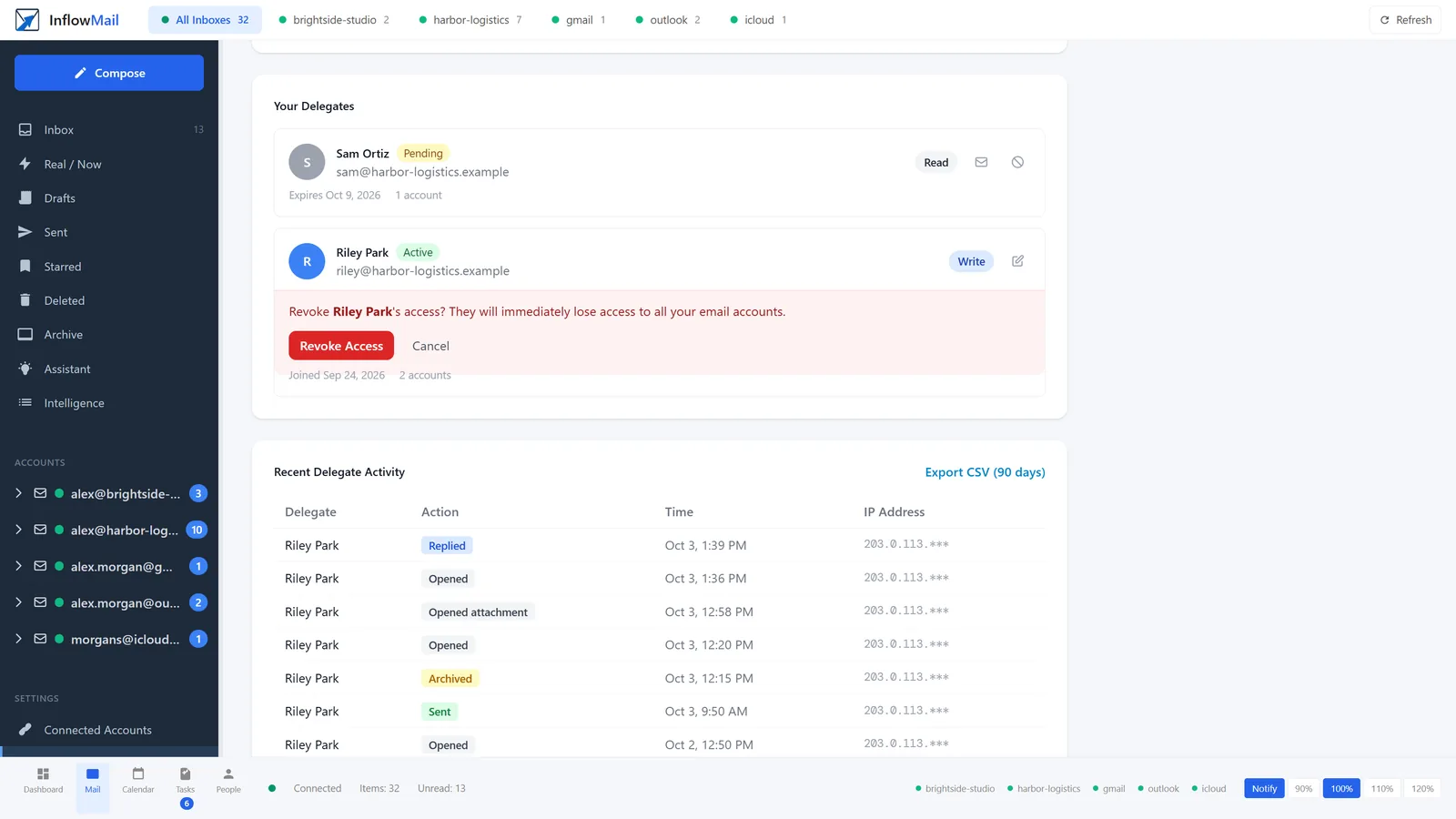
74 seconds, step by step: invite a helper by email, tick their mailboxes and choose read-only or write; they reply from your address; every open, reply, archive and send is logged with time and IP; revoke ends access immediately.
How Delegation Works
Three steps to secure email delegation. No passwords shared, ever.
Invite a Delegate
Enter their email address and tick the connected accounts they can use. Leave them all unticked to share every account.
They Sign In Separately
Delegates use their own InflowMail account and password. Your credentials stay yours.
You Choose the Permission
One setting per helper: read-only (view and search) or write (reply, send, archive, delete) on the accounts you ticked. Revoke anytime. They never see your passwords.
Exactly What Delegates Can - and Can't - Do
You pick read-only or write per person, and which mailboxes they can touch. Credentials stay yours.
Free and Pro each include one helper, Practice three. Extra helpers are $4/mo on Pro and Practice (up to 10). Write today includes send, archive, and delete together.
They reply from your address
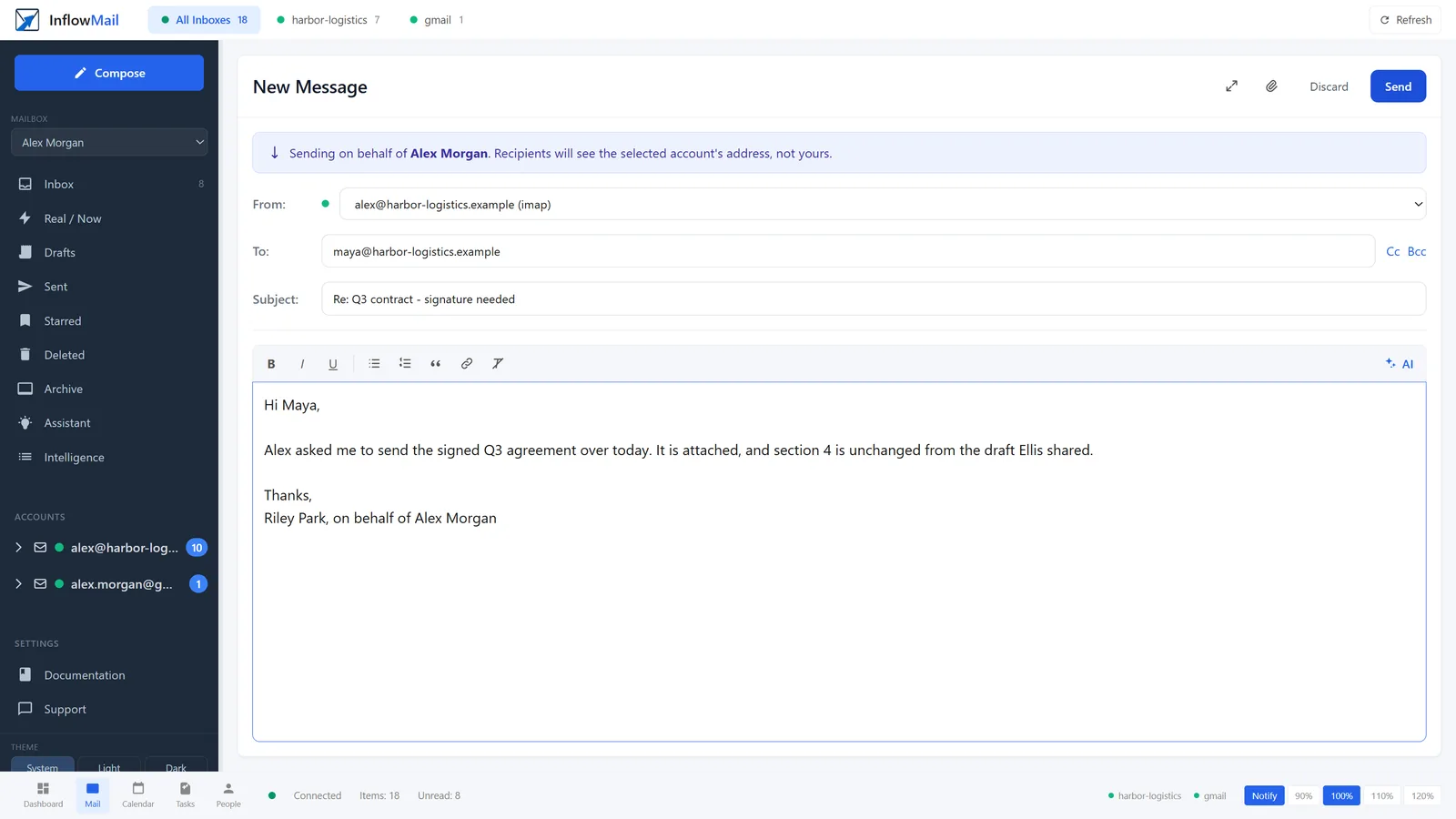
A helper with write access composes from your connected account. A banner tells them who they are sending for, and the From line is your address - recipients see you, not a forwarding service.
Every send and reply lands in your activity log with the helper's name and the time.
Who Uses Delegation?
Executive Assistants
Give your EA read access to your work email so they can see what is waiting, or write access so they can flag, file and answer it for you.
Small Teams
Share the support inbox, sales inbox, or team mailbox with your colleagues without everyone logging into the same account.
Family Members
Let your partner see the shared family account, or give your kids supervised access to their school email - no password sharing needed.
Who sent, on the record
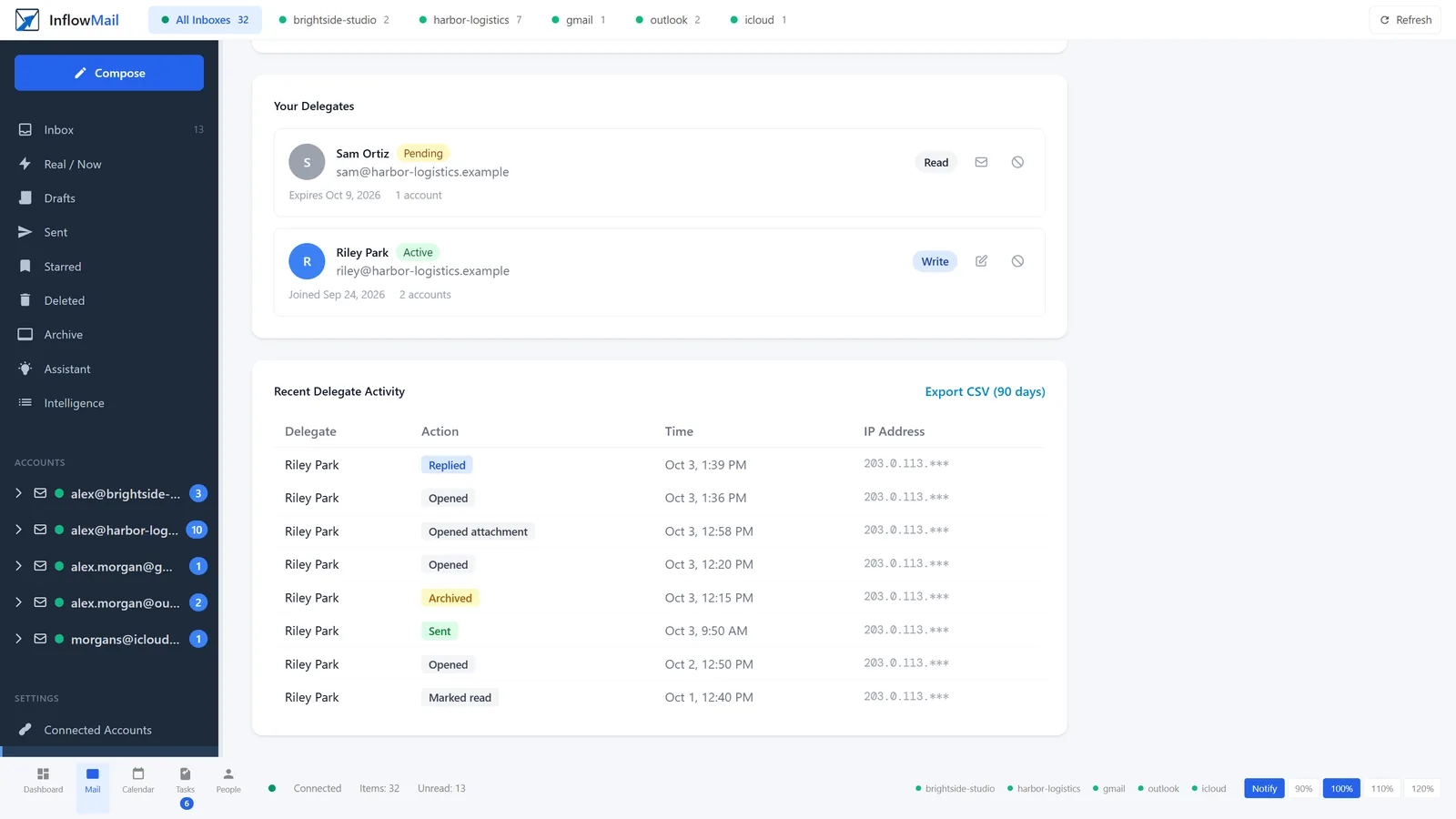
Every message a helper opens, sends, replies to, archives, moves or deletes is logged with the time, and the IP address when they use the app or API. See it on Team Access or export it as CSV. It is not a SOC 2 pack. It is enough to know Riley opened the contract and sent the reply as you.
Secure by Design
Going on Vacation? Hand Off Your Inbox.
Taking two weeks off shouldn't mean coming back to 2,000 unread emails. Delegate access to a colleague before you leave, and they can triage your inbox while you're away. When you get back, revoke their access - no passwords to change.
Delegation FAQ
Can delegates send emails as me?
Is there a complete audit log?
Can I limit access to specific folders?
How many delegates can I have?
Ready to Delegate Securely?
Free includes one helper. Pro includes one and Practice three, then $4/mo each (up to 10). They sign in as themselves.